Interactive product demo software solves a problem every B2B sales and marketing team recognizes: demos are created in one tool, shared through another, tracked in a third, and the leads they generate are copied into the CRM by hand. Nobody has a single view of which demos work, and good leads go cold while someone fills in a spreadsheet. A demo automation platform pulls that whole loop into one place.
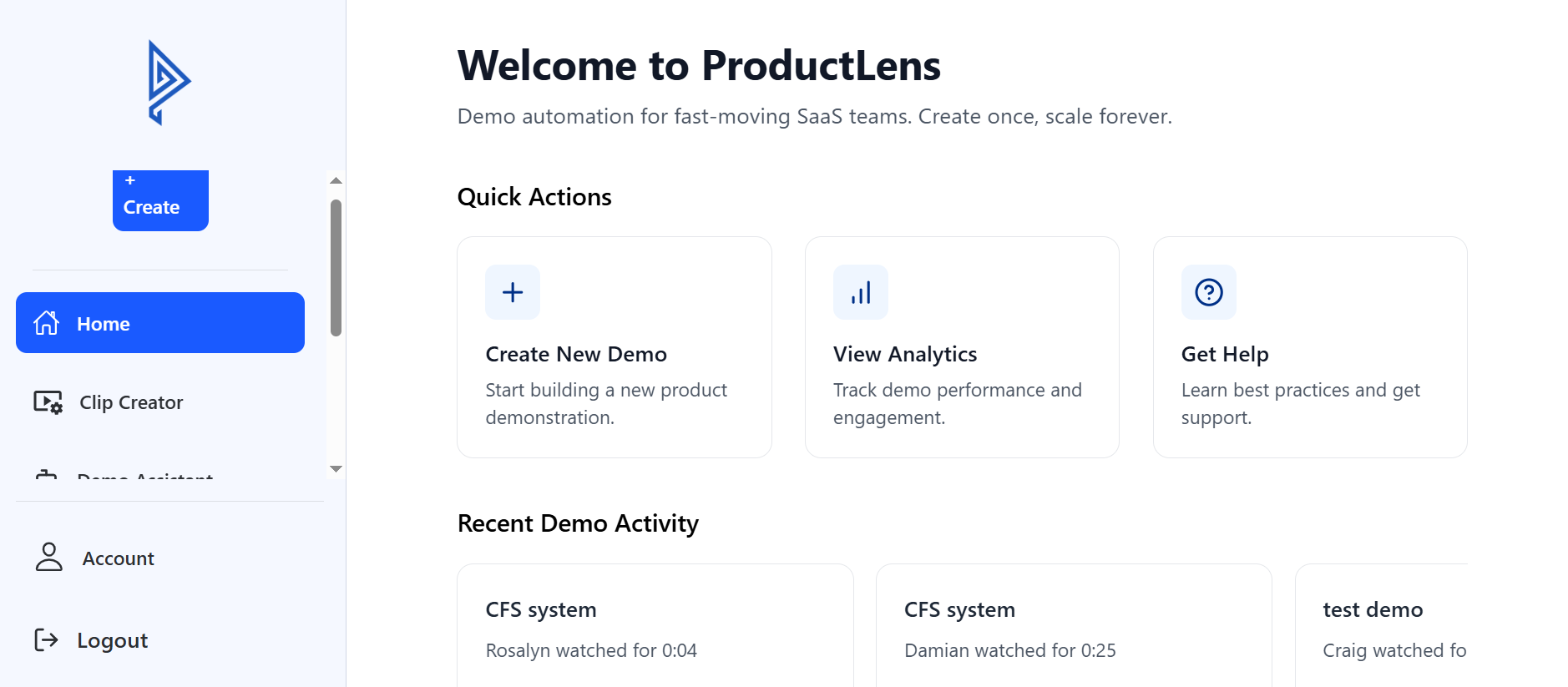
This article walks through how to build one with React, using ProductLens, a demo automation admin panel we built, as the worked example. We cover the architecture, the demo creation wizard, engagement analytics, Salesforce lead sync over OAuth 2.0, subscription tiers, and the decisions worth making early if you are building something similar.
What a Demo Automation Platform Needs to Do
The client's challenge was fragmentation. Businesses were designing, distributing, and analyzing product demos across separate tools, with no single view of engagement and no automatic route from a demo viewer to a CRM lead. The brief was one panel to create demos, track how they perform, and push leads into Salesforce without manual entry.
That breaks down into a clear feature set:
- A multi-step interactive demo creation wizard.
- A real-time analytics dashboard with engagement metrics.
- Salesforce CRM integration with automatic lead sync over OAuth 2.0.
- Subscription and pricing tier management.
- A content studio for organizing marketing assets.
- Role-based authentication and access control.
- Video playback supporting 4 platforms: YouTube, Vimeo, Wistia, and Twitch.
- CSV and Excel export of engagement data.
If you are scoping your own demo platform, this list is a reasonable baseline. The hard parts are not any single feature but how they connect: a demo created in the wizard has to produce analytics, and the analytics have to produce leads in the CRM.
Why React 18 and Vite for a SaaS Admin Panel
ProductLens is a single-page application built with React 18 and Vite, deployed on Vercel. For an authenticated admin panel, a SPA is a sensible fit: the whole product sits behind login, so server rendering for SEO adds little, while fast in-app navigation between dashboards, demos, and settings matters a lot.
- Vite gives near-instant development server starts and fast production builds, which keeps iteration quick on a large interface.
- React Router handles navigation between the wizard, analytics, content studio, and account areas, with route guards for role-based access.
- Redux Toolkit and RTK Query manage application state and server data. RTK Query caches API responses and invalidates them when data changes, so a demo edited in the wizard appears updated in the dashboard without manual refetching.
- Axios handles HTTP requests with shared interceptors for attaching auth tokens and handling expired sessions in one place.
- Vercel hosts the build with automatic deployments, so releases are tied to commits and easy to roll back.
For the interface, the project combines Tailwind CSS for layout and custom styling with Material-UI for complex ready-made components such as data tables, dialogs, and date pickers. Icons come from Heroicons, Lucide React, and FontAwesome. Using a component library for the dense admin widgets and Tailwind for everything else is a pragmatic split: you do not rebuild a data grid from scratch, and the rest of the product still looks like your brand.
Building a Multi-Step Interactive Demo Creation Wizard
The demo wizard is the heart of any interactive product demo software. Creating a demo involves several distinct decisions: basic details, media, interactive steps, branding, and distribution settings. Putting all of that on one long form overwhelms users; splitting it into steps keeps each decision manageable.
Form state and validation
ProductLens uses React Hook Form for form state, with Yup and Zod schemas for validation. React Hook Form keeps re-renders low even on large forms, which matters when a wizard holds a lot of fields. Schema-based validation means each step is validated before the user can move on, and the same rules describe exactly what a valid demo looks like.
Patterns that make wizards usable
- Persist progress per step so a user who leaves halfway does not lose their work.
- Allow moving backward freely without clearing later steps.
- Show a summary before publishing so users confirm what viewers will see.
- Generate stable identifiers early, which in this stack is what the UUID library is for, so assets and steps can be referenced before the demo is saved.
Wizard design is as much a UX problem as an engineering one, which is why this kind of project benefits from UI/UX design work before development starts.
Video Playback and Engagement Analytics in React
Product demos frequently include video, and customers host video in different places. ProductLens supports YouTube, Vimeo, Wistia, and Twitch using React Player, which wraps multiple providers behind one component, alongside Video.js for cases that need a more customizable player.
A unified player matters for analytics as much as for playback. When every provider emits the same events, such as play, pause, progress, and completion, the platform can measure engagement consistently regardless of where the video lives. Those events feed the real-time analytics dashboard, where teams review how demos perform.
Analytics features that make the data usable:
- Date-range filtering, handled with date-fns and Moment for consistent date math and formatting across time zones.
- Per-demo engagement metrics so teams can compare demos and improve the weak ones.
- CSV and Excel export so sales operations can take the data into their own reporting without asking engineering for a query.
Export is easy to underrate. A dashboard answers the questions you anticipated; an export answers the ones you did not.
How to Integrate Salesforce with a React App Using OAuth 2.0
Salesforce lead sync is what turns a demo tool into a sales tool. ProductLens connects to Salesforce over OAuth 2.0 and syncs leads and customer data automatically, removing the manual copy step the client wanted to eliminate.
How the OAuth connection works
In a standard OAuth 2.0 authorization code flow, an administrator clicks "Connect Salesforce", is redirected to Salesforce to log in and grant access, and returns with an authorization code. That code is exchanged for access and refresh tokens. Our recommendation for any similar build: perform the token exchange and store refresh tokens on a server, never in browser storage, because a refresh token is long-lived access to your customer's CRM.
Syncing leads reliably
- Map fields explicitly. Decide which demo engagement data becomes which Salesforce lead fields, and let admins see the mapping.
- Avoid duplicates. Check for an existing lead or contact before creating a new one.
- Handle token expiry and API errors with automatic refresh and retries, and surface sync failures in the admin panel rather than failing silently.
CRM integration is its own discipline. If your product needs to connect to Salesforce, HubSpot, or a custom CRM, our CRM and business solutions team handles exactly this kind of work.
Subscription Tiers, Roles, and Security for a SaaS Demo Platform
ProductLens supports a subscription model with multiple billing tiers, managed from the admin panel. Tiers typically gate limits and features, such as the number of demos, available integrations, or analytics depth. The key engineering rule is that tier limits must be enforced on the server; the React interface can hide a button, but only the API can actually prevent the action.
Authentication uses JWT for sessions alongside OAuth 2.0 for the Salesforce connection, with role-based access control so different team members see appropriate parts of the panel. Crypto-js is part of the stack for client-side cryptographic utilities. A sensible principle for any similar build: treat anything in the browser as visible to the user, so secrets and sensitive tokens belong on the server.
The content studio rounds out the platform, giving marketing teams one place to organize the assets their demos use. Keeping assets centralized means a logo or screenshot updated once is updated everywhere it appears.
Frequently Asked Questions
What is demo automation software?
Demo automation software lets businesses create interactive product demos, share them with prospects, track engagement, and route interested viewers into the CRM, without a salesperson running every demo live.
Is React a good choice for building a SaaS admin panel?
Yes. React with Vite, a state management layer such as Redux Toolkit with RTK Query, and a component library handles complex, data-heavy admin interfaces well, and the hiring pool is large.
Can a demo platform sync leads to Salesforce automatically?
Yes, through the Salesforce API using OAuth 2.0. Plan for field mapping, duplicate detection, token refresh, and visible error handling so syncs stay reliable.
Should I build custom interactive demo software or buy an existing tool?
Buy if an existing product covers your workflow. Build when demos are part of your own product offering, or when you need deep integration with your CRM, data, and billing that off-the-shelf tools cannot provide.
You can explore the live product at productlensdemo.com and read the project summary on the ProductLens case study page. If you are planning a SaaS product of your own, our SaaS product development team can help you scope the right first version. Get in touch and we will tell you plainly what it would take.